The org chart that knows
what everything costs.
Sync your people data from Google Workspace, drag your next org into shape, and watch payroll update live. Turn on analytics to see which AI seats earn their keep.
Free up to 25 people · No credit card required
Plan, Analyze, Execute.
Scenarios draft the next org and price it. Analytics audits the AI spend you already have.
Scenario Planning
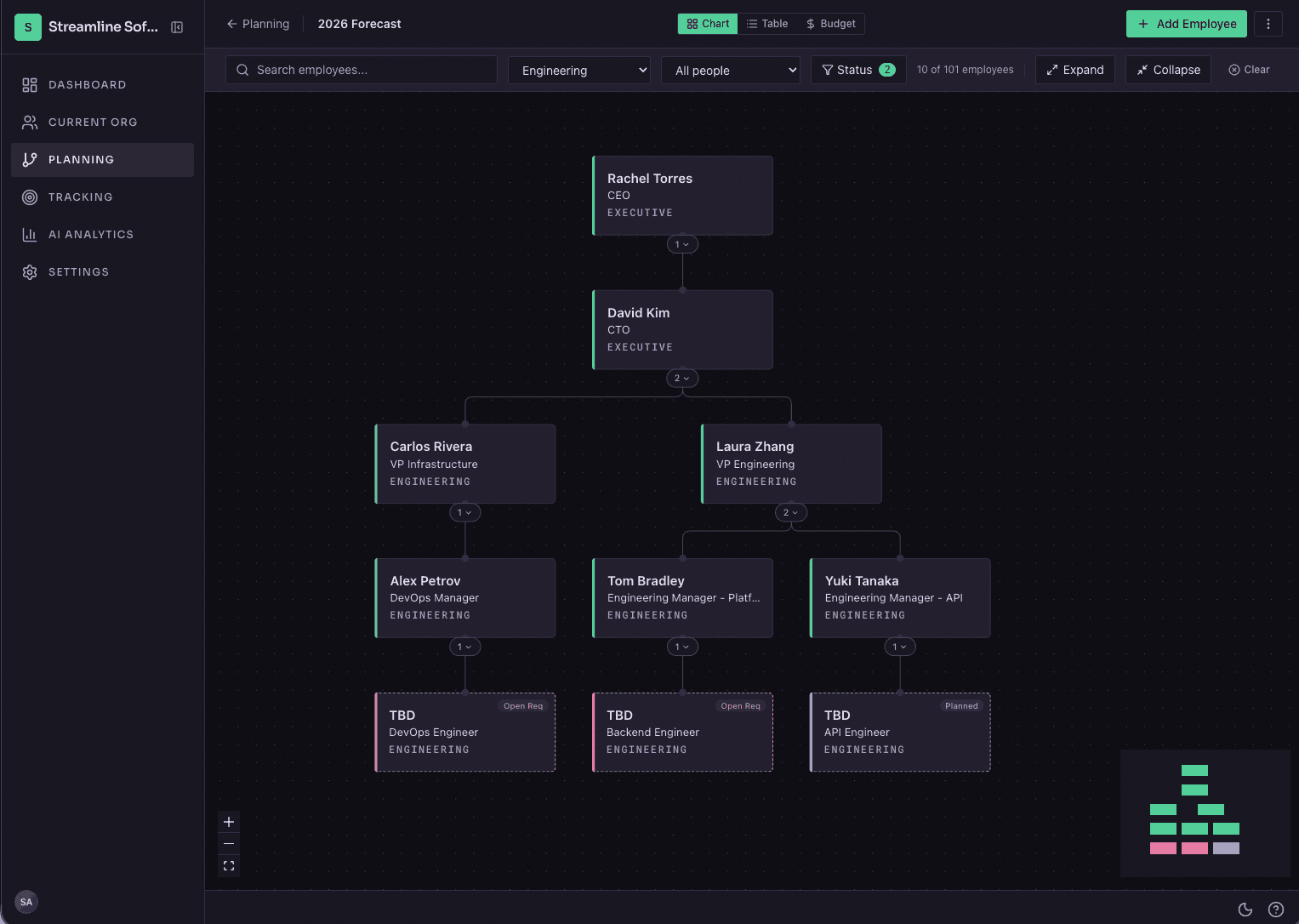
A scenario is a copy of your org that is safe to break. Move people and add or cut roles, then compare against today’s org side by side. The live chart doesn’t change until you decide it should.
AI Usage Analytics
Upload what you spend on AI tools. OrgPlan compares each seat’s cost to its imputed value, flags seats nobody uses, and keeps a ledger of recommended cuts. $49/mo add-on on Core and Business.
Initiative Tracking
When you roll out a policy or a training, upload the list of who has to complete it and the org chart tints who’s done. Click a person to mark them complete; the mark survives your next CSV upload. A report view totals what’s outstanding.
Google Workspace Sync
Connect Google Workspace once. OrgPlan re-syncs the directory every day and writes a change summary, so you know who joined, left, or moved without asking anyone. There’s a manual refresh for the day the org actually changes.
Chart, Table, and Budget
One org, three screens. Drag people to a new manager in the chart. Sort and edit inline in the table. The budget view rolls costs up by department. All three export to CSV, PDF, or PNG.
Sharing & Permissions
Five roles, owner down to guest, with salary visibility set per role. Public share links strip compensation before the page renders, so you can send the chart broadly without sending payroll along with it.
Signup to shared plan takes an afternoon.
Connect
Connect Google Workspace and OrgPlan builds the chart from your directory in about two minutes. If you’d rather not connect anything yet, load the sample company and poke around first.
Model
Clone the live org into a scenario. Drag people to new managers, open roles where you need them. Headcount and cost update as you work.
Analyze
Compare two scenarios side by side and send the winner to your CFO as a read-only link, salaries stripped. Then do the same for spend: upload AI usage and see which seats earn their cost.
Choose the plan that works for you.
Start free with your real org, up to 25 people. Upgrade when the org outgrows the plan. Every tier gets all three views and Google Workspace sync.
Free
Your real org, up to 25 people. See if it sticks.
- Up to 25 employees
- 1 scenario
- Sample company to explore — no Google needed
- 7-day Google Workspace sync trial
- Chart, table, and budget views
Core
Unlimited Google sync and five scenarios: enough to plan a full reorg.
- Up to 100 employees
- 5 scenarios
- Unlimited Google Workspace sync
- Scenario comparison & diffs
- Free viewers for your live org
Business
Room for 500 people, with the access controls a bigger planning group needs.
- Up to 500 employees
- Unlimited scenarios
- Unlimited Google Workspace sync
- 5-level RBAC + salary masking
- Guest & domain access
AI Usage Analytics
Add-onThe analysis half of OrgPlan. Upload what you spend on AI tools; OrgPlan compares each seat’s cost to its imputed value, flags seats nobody uses, and keeps a running list of recommended cuts. Enabled per organization on Core and Business plans.
Bring real numbers to the budget review.
Free for orgs up to 25 people, no credit card. Connecting Google takes about two minutes. A first scenario takes maybe five more.